- Get Started
- Video Tutorials
- Knowledge Base
- FAQs & Troubleshooting
How to Connect USPS NEW with 4Seller?
Updated on 18 Sep,2024Copy Link
4Seller Support integrate USPS then purchase & print shipping label.

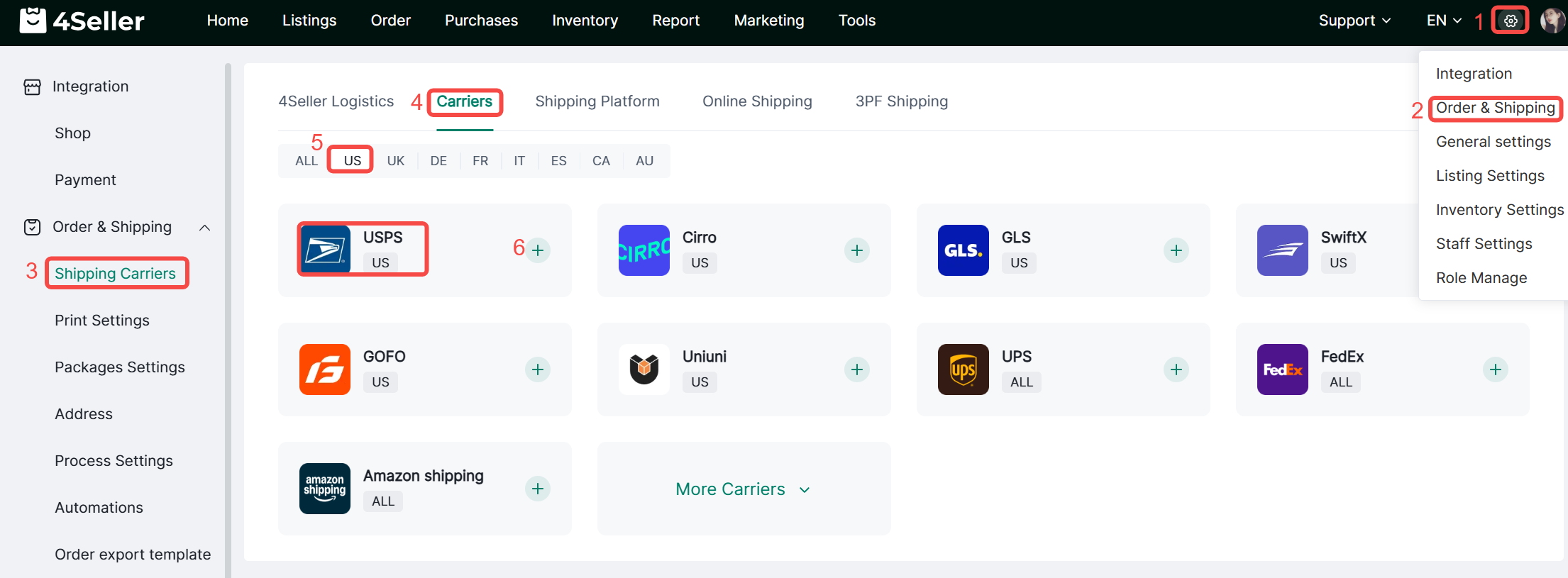
Step 1: Go to Settings > Orders & Shipping > Carriers > Carrier, find USPS, and click + to add authorization.


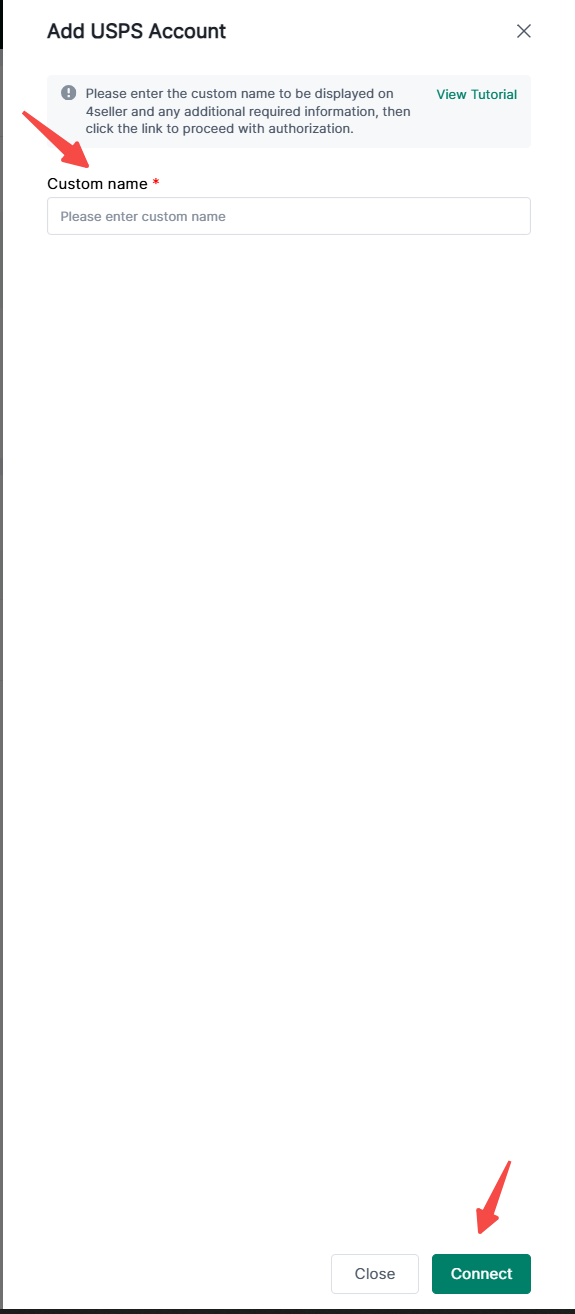
Step 2: In the pop-up window, enter a custom name,client ID and another required fileds.

Note: These information should contact usps support to have meeting to get.


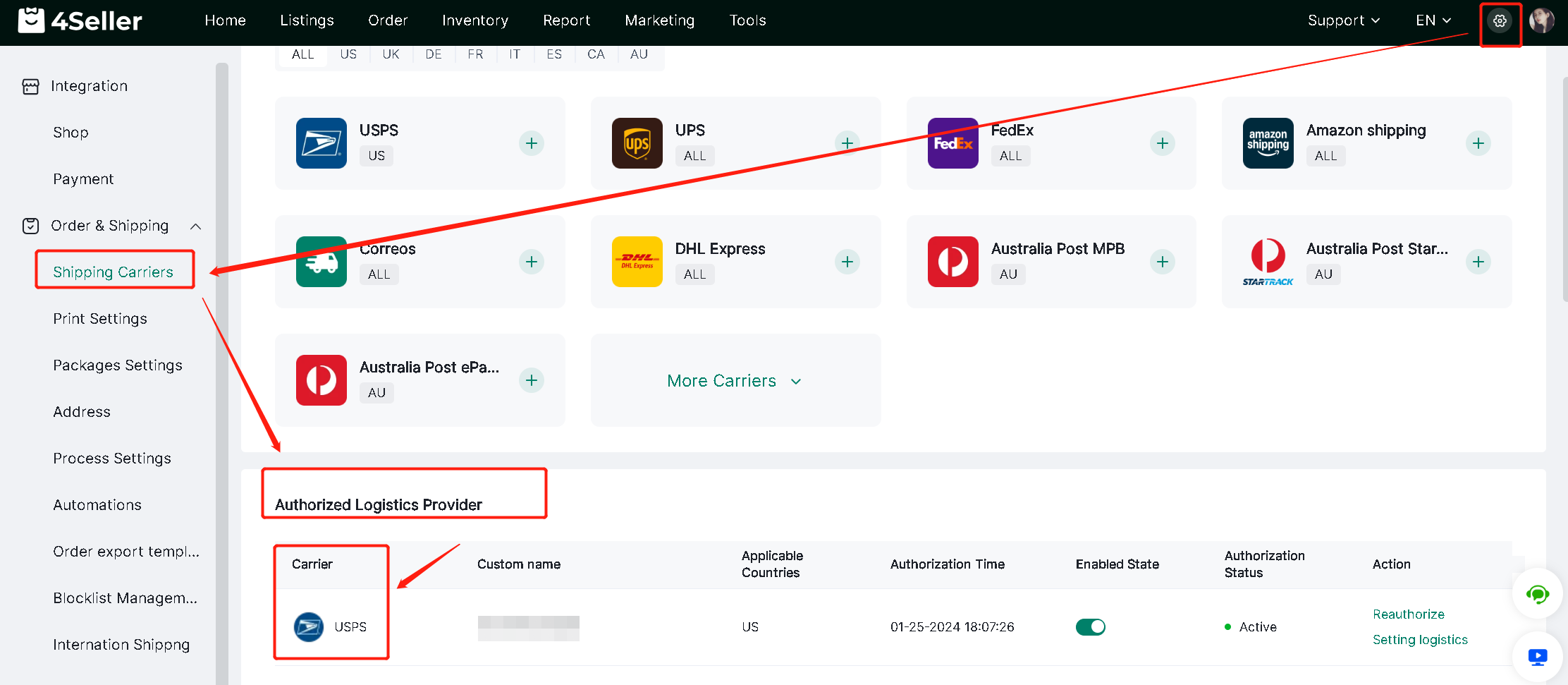
Step 3: After fill the information pla click" Connect". Follow below could check the connect status.


Any problem just feel free to contact 4Seller support team: support@4seller.com


Back to top